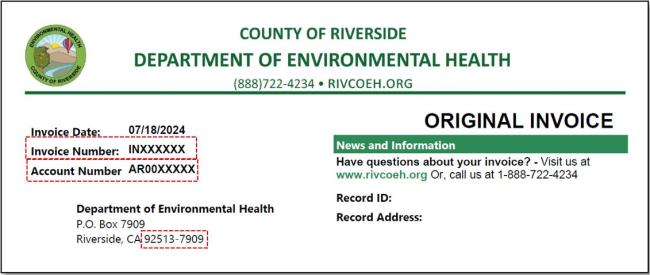
Online Payment Instructions:
| Image

|
| Image
|
Online payments require you to enable third-party cookies on your device. If you are using a personal computer, go to the settings menu for your browser and ensure third-party cookies are enabled. | |
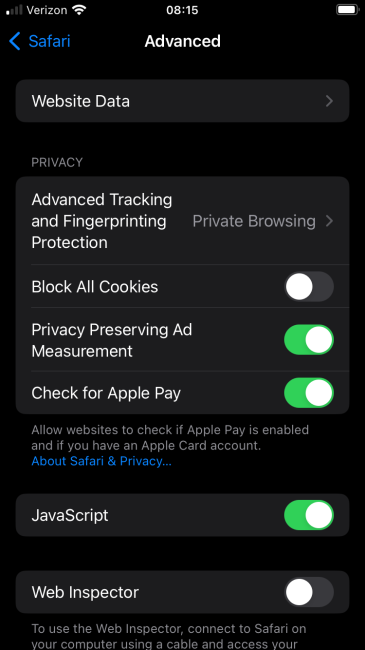
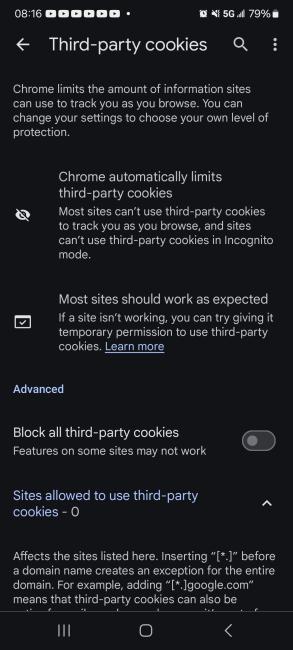
| For mobile devices running Safari go to Settings, Apps, Safari. Tap Advanced and turn off Block All Cookies. | For mobile devices running Chrome go to Settings, Site Settings, under Content tap Third-party Cookies. Turn off Block all third-party cookies. |
Image
| Image
|
Please contact your local Environmental Health office at (888) 722-4234 for additional information. | |